
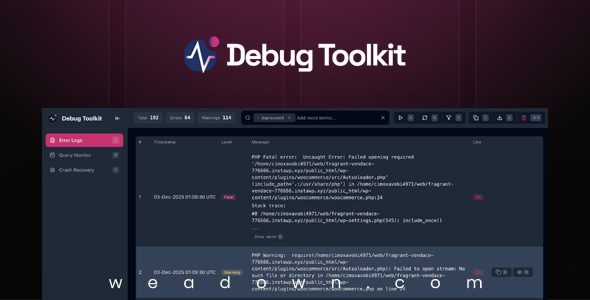
WP Debug Toolkit Pro so every log, filter and shortcut was battle-tested under fire—giving you a polished, rock-solid UI to track, jump to, and squash WordPress bugs in seconds.
Demo WP Debug Toolkit Pro Plugin
WP Debug Toolkit Pro Plugin Features
- Crash Recovery System
Your site crashed and got locked out of WordPress? Not an issue. Disable plugins and themes and log back in. - Keyboard Shortcuts
Either click away, or use system-wide hotkeys to navigate the app. It’s right on your fingertips. - Custom Thresholds
You decide what’s urgent. Configure alerts for Fatal Errors only, or include Warnings and Notices for dev sites. - Live Dashboard
Watch queries appear in real-time with dashboard auto-refresh. Perfect for monitoring checkout or complex flows. - Recovery Integration
Enhanced emails include a direct link to the log viewer and WP Recovery, so you can log in safely and troubleshoot. - Real Time Logging
No need to wait, refresh or dig through your files to read the logs. The Viewer App displays them instantly. - Race-condition proof
Our locking system ensures that 50 concurrent visitors crashing the site only triggers one email. - N+1 Pattern Alert
Identify inefficient loops running the same query hundreds of times. A silent performance killer, now made visible. - Powerful File Viewer
Not only read the error, but check the entire file and get full context on where your code was called from and why. - Flexible Filters
Cut through unwanted notices and warnings using the built in filters and focus only on what matters. - Slow Query Detection
Instantly spot database bottlenecks. Queries exceeding your threshold are automatically flagged for review. - Complexity Scoring
Not all queries are equal. We analyze SQL structure (JOINs, subqueries) to rate query complexity on a 1-10 scale. - Low-Overhead Logging
File-based logging has a low impact on your database. Monitor production sites without slowing them down. - Easy on the eyes
Both user and developer friendly UI and theme switcher so debugging always feels familiar to you. - Instant Alerts
Get notified the moment a critical error occurs. Be the first to know so you can fix it before users complain. - Smart Rate Limiting
Prevent inbox flooding. We intelligently group repeated errors so you get one meaningful alert, not 5,000. - Custom Content
Direct clients to the right place. Add custom support links or instructions to every error report. - Dual-Channel Delivery
Standard email failed? No problem. We automatically fallback to native PHP mail to ensure your alert gets through. - Memory Protection
We reserve emergency memory to ensure alerts can still be sent even during memory exhaustion crashes. - Keyboard Shortcuts
Use quick keys to view stack traces, copy SQL, or focus the search bar without touching your mouse. - Independent Viewer App
Even if WordPress crashes out completely, the Viewer App will still work and show you the errors. - Data Export
Need to share with a team? Export your query logs to CSV, JSON, or TSV for external analysis or reporting. - Instant File Viewer
Don’t just see the query, see the code. Use the viewer to inspect the exact PHP lines that triggered the database call. - White Labeling
Make it yours. Add your agency logo and brand colors to every alert email for a professional client experience. - Error Highlight
Easily identify the different levels and errors in a clear way. This will help you understand and fix bugs faster. - Component Attribution
Know exactly who to blame. See if a query came from Core, a specific Plugin, or your Theme at a glance.
Download WP Debug Toolkit Pro Plugin
Note: If you are having trouble with WP Debug Toolkit Pro – WordPress Debug and Monitoring Tools Plugin Free Download Latest Version, try to disable AdBlock for the site or try another Web Browser. If disabling Ad Blocker or change Web Browser not help to you, please contact us.
Dear Team,
Please help me update this plugin. Thank you so much 🙂