
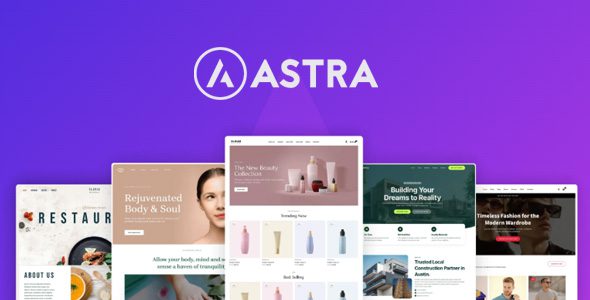
Astra Pro Addon get access to powerful features for painless WordPress designing, without the high costs. With all the time you will save, it’s a product that pays for itself!
Demo Astra Pro WordPress Plugin
Astra Pro Addon Plugin WordPress Features
- Easy Customization
Adjust colors, layouts, and design elements in just a few clicks—no coding needed. - Global Color Palette
Make changes once, and they’ll update everywhere for seamless consistency.” - Modern Cart 1
Shop Card Layouts
Choose from multiple Shop Card Layouts to customize product card styles, making it easier to showcase your products in an attractive way. - Even Faster Customizations
Customize your site in minutes without compromising quality or style. - Unified Interface
Astra’s Unified Interface consolidates all customization tools in one easy-to-use dashboard, making design updates quick and efficient. - List Layout
The List Layout displays posts in a simple, vertical format, making it easy for visitors to read and navigate through content. - Grid Layout
The Grid Layout organizes your blog posts into neatly aligned columns, providing a clean, structured look that enhances readability and visual appeal. - Infinite Scroll
Enable Infinite Scroll to automatically load more products as users scroll, providing a smoother and continuous shopping experience. - Advanced Styling Options
Personalize footers with advanced options like column spacing, background images, and typography to create a professional look. - User Role Specific Layouts
User Role Specific Layouts enable you to customize your site’s appearance for different user roles, providing a tailored experience for each group. - Custom Menu Width
Customize the width of your mega menu with options like content width, menu container width, full width, full width stretched, or custom pixel width. - Just Drag, Drop, and Build
No complicated steps—just place elements where you want them, making customization quick and easy. - Add Icons and Images
Use custom labels to highlight important links and keep visitors engaged. - Device Visibility Options
Device Visibility Options allow you to control which elements appear on different devices, giving you flexibility in content presentation. - Footer Elements
Add and customize essential footer elements like menus, social icons, widgets, and HTML blocks to meet your specific needs. - Date Box
The Date Box adds a stylish date box next to each post, helping visitors quickly identify when the content was published, improving navigation and time relevance. - Custom Exclusion Rules
Custom Exclusion Rules let you hide or exclude specific elements on certain pages or under particular conditions, offering advanced content control. - Multi-Column Layouts
Organize your website menu using multi-column menus, making it easier for users to navigate your website and find what they need. - Extensive Font Library
Astra’s Extensive Font Library offers hundreds of Google Fonts and custom options, making it simple to find the perfect typeface for your brand. - No Coding Skills Required!
From headers to footers, easily design and customize every part of your site with zero technical expertise needed. - Dynamic Display Conditions
User Role Specific Layouts enable you to customize your site’s appearance for different user roles, providing a tailored experience for each group. - Responsive Design Tools
With Responsive Design Tools, Astra lets you optimize your site’s look across all devices by adjusting layouts and styling for mobile, tablet, and desktop. - Dropdown Cart
The Dropdown Cart feature lets customers view their cart items without leaving the page, making it more convenient to check and edit selections. - Responsive Designs Made Easier
With built-in mobile, tablet, and desktop settings, you can ensure your site looks great on any device, delivering a seamless user experience everywhere. - Responsive Controls
Adjust footer layout and visibility for mobile and desktop views, ensuring a fully responsive design for all devices. - Highlight First Post
Highlight First Post enables you to feature your most important post at the top of the blog, drawing attention to key content. - Custom Styling Options
Customize your menu’s typography, colors, spacing, and alignment to ensure your menu perfectly matches your website’s branding. - Grid Settings
Customize product display with flexible grid settings for columns and spacing, enhancing your store’s layout and making browsing easier. - Off Canvas Sidebar 1
Quick View
Quick View allows customers to preview product details in a pop-up window without leaving the current page, speeding up the shopping process. - Add Custom Content
Boost menu functionality by adding images, videos, and calls to action. - Typography Presets
Skip the guesswork with Astra’s Typography Presets. Choose from beautifully designed font combinations that give your site a polished look. - Masonry Layout
Masonry Layout arranges posts in a dynamic, Pinterest-style grid, with varying heights for each post, creating a modern and engaging design. - Responsive and Mobile-Friendly
You also get responsive layouts and dedicated mobile-specific settings. - Live Preview
Get instant feedback and perfect your site’s look before hitting publish. - Gallery Options
Modern Cart
The Modern Cart offers a sleek, user-friendly design with quick access to the cart for a smoother checkout process. - Enable Cross Sells
Boost sales with the Enable Cross Sells feature, recommending related products at the checkout to increase the average order value. - Countless Design Possibilities
Choose from endless layouts, colors, fonts, and more to build a unique site that perfectly fits your brand. - Design Customization
Fine-tune your footer’s design with controls for colors, typography, and layout to seamlessly match your website’s theme. - Blog Structure Control
Blog Structure Control allows you to manage the order and display of blog elements, such as excerpts, featured images, and post metadata, to create a personalized layout. - Off-Canvas Sidebar
The Off-Canvas Sidebar lets you create a hidden, slide-out menu for a cleaner, more organized product navigation on mobile devices. - Real-time Preview
Astra’s real-time preview ensures you can tweak your design and view the final result immediately, saving time and improving your workflow. - Responsive Typography
Astra’s Responsive Typography ensures your text looks great on every device by automatically adjusting font sizes and spacing for mobile, tablet, and desktop. - Gallery Options
Enhance product images with various Gallery Options, such as zoom, lightbox, and sliders, offering a better visual experience for your customers. - Visual Footer Builder
Easily design footers with Astra Pro’s drag-and-drop interface, offering customizable sections for a live preview of your design changes. - Custom Layouts
Create fully custom footer layouts with flexible column controls, whether stacked or inline, and optimize them for all devices.
Download Astra Pro Addon WordPress Plugin
Note: If you are having trouble with Astra Pro Addon WordPress Plugin Free Download Latest Version, try to disable AdBlock for the site or try another Web Browser. If disabling AD blocker or change Web Browser not help to you please contact us.
please update 4.13.11 thanks
Have you tested if it’s activated?
Please fix the license it still says activate your theme
Tell me when fixed license.
Here’s a link with the Astra Pro:
https://drive.google.com/file/d/1woyJdaW2UScznbIiZDjuSsWlqTieTTAY/view?usp=sharing
Uploading the google drive plugin causes a error as “Undefined array key “template” in /wp-content/plugins/astra-addon/admin/bsf-core/index.php on line 320″
License fix. Please re-download
It was activated just for few time but after few minutes again activation screen is showing.
Sorry it is activated but I want to import premium theme template then it ask activation key. Please help
still not active, md5sum 54b68a3968ec6bb0f05e950726d3106f
Astra Pro Addon 4.13.8 – License not active, please admin help us
Same problem
same problem
please update 4.13.8
Astra Pro Addon v4.13.7 – Active
Great job, worked fine, Super!
Astra Pro Addon 4.13.7 – License not active (Not Nulled)
The comment down below said “fixed”
What’s the md5 Hash you saw on the download page? It displays 4e7c3b08fae72fc7aa17ccef9be3c75d on my download try.
Me too
Version 4.13.7 – Error: License not active Activate Astra Pro to get professional support and automatic updates from your WordPress dashboard. Please enter your valid license key below to activate Astra Pro!
The session is incomplete, already used, or expired.
Fix. Please check link.
please update 4.13.7