
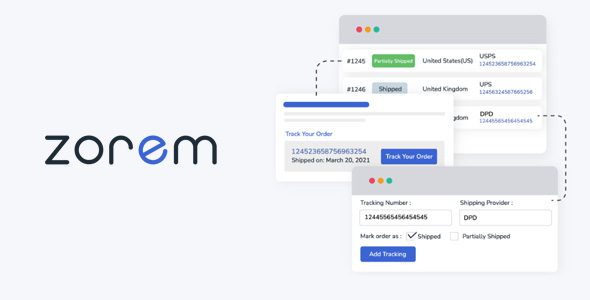
Advanced Shipment Tracking Pro (AST PRO) provides powerful features to easily add tracking info to WooCommerce orders, automate the fulfillment workflows and keep your customers happy and informed.
Demo Advanced Shipment Tracking Pro
Advanced Shipment Tracking Pro Features
- Add tracking numbers to orders
- Add tracking from the WooCommerce Orders list
- Fulfill orders when adding tracking numbers
- Add tracking per item
- Auto-detect shipping providers
- Fulfillment dashboard
- Tracking info widget
- Responsive Tracking info widget
- Custom Order Status “Partially Shipped”
- Custom Order Status “Shipped”
- Shipment Tracking API
- AutoComplete API orders
- Built-in Integration with WooCommerce Shipping, ShipStation, Ordoro and more..
- Import tracking from CSV Files
- Export tracking information to PayPal
- 300+ Shipping providers list
- Add Custom Shipping Providers
- White Label Shipping Providers
- Shipping Provider API Name Mapping
Download Advanced Shipment Tracking Pro Plugin
Note: If you are having trouble with Advanced Shipment Tracking for WooCommerce Plugin Free Download Latest Version, try to disable AD blocking for the site or try another Web Browser. If disabling AD blocker or change Web Browser not help to you please contact us.
PLS UPDATE TO V5.0.6 Thank you
PLS UPDATE TO V5.0.5 Thank you
PLS UPDATE TO V5.0.4
PLS UPDATE TO V5.0.4
PLS UPDATE TO V5.0.4
5.0.3 is now available, thank you
5.0.2 is now available, thank you
I can’t find it
pls share it
pls update to v5.0.2
pls update to v5.0.2
pls update to v5.0.1
pls update to v5.0.1
pls update to v5.0
Please update to version 4.9.1
Please update to version 4.9.1
Hey
nowadays from your website, i can’t download any materials. All are ended with “our servers are busy, pls try after some time”. Particularly that ‘OYdir.com’ link is not working .
So, Pls consider to upload some other websites links
thanks in advance
https://mega.nz/file/pFVh0bZQ#2K6TkhIieQ2MGEed-QFgQEnMjeu-S1yS_f_j0uQ42pY
Same Story to now
I update this plugin (Advanced Shipment Tracking Pro v 4.8.8)
The following errpr occured
Error
Oh snap! File can not be located, please try again later.
?? Temporary Download Issue
Our server is currently experiencing technical difficulties with data downloads.
We’re actively working to resolve the issue.
To help you access the content in the meantime, please try the following steps:
Update your browser to the latest version.
Use Incognito or Private Browsing mode.
If the issue persists, consider using a VPN to download the files.
We appreciate your patience and understanding while we fix this. Thank you!
Any chance to get v4.8.7?
Any chance to get v4.8.6?
4.8.1 is not nulled
fatal error
It´s not nulled.
Let me check.
Ok, thanks…
Not nulled
Not nulled. License activation is required. Please upload the nulled version.
showing me “Incompatible Archive.” can you plese help me?
Please update to the latest version. (4.7)
Update the latest version
Please update to the latest version.
Can we please get version 4.3? Thanks!
Hi, Please update to version 4.3
Please update version 4.3 please