
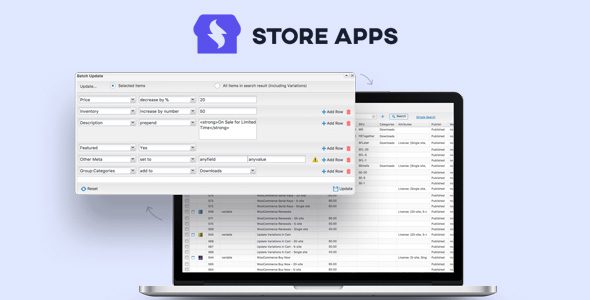
Smart Manager is a WooCommerce Bulk Edit and inventory management tool that lets you manage your store data from a single, Excel-like spreadsheet inside your WordPress dashboard. You can bulk edit WooCommerce products, product variations, orders, coupons, posts and users any WordPress post type and taxonomies (including custom) and custom fields – without CSV imports, without clicking through endless edit screens.
Demo WooCommerce Smart Manager Plugin
Smart Manager For WooCommerce Plugin Features
- Bulk update product prices, categories and inventory
- View and manage variations of a product
- Look up orders and customers quickly
- Set – and revert – sale prices for promotions
- Export store data to CSV file without any corrupt or missing entries
- Add custom meta field values
- Quickly change discount rules for many coupons at once
- Change product image for all products in a category
- Manage media directly – add, delete ‘Product Gallery Images’
- Set SEO, customer reviews, subscription and other properties
- Manage WordPress user roles – change user role, change password, etc.
- Change customer’s email address – as well as other details
- View customer’s lifetime value, last order date and contact details
What’s New (Changelog) in the Latest Version v8.96.0
- New: WordPress 7.1 compatible
- New: WooCommerce 11.0.1 compatible
- Fix: Stored Cross-Site Scripting (XSS) vulnerability in Smart Manager grid due to improper escaping of column names [Thanks to Patchstack team]
- Fix: Link and color options not working in the Text Editor modal when editing Rich Text fields such as ‘Description’ and ‘Additional Description’ from Smart Manager grid
- Update: UI/UX improvements in the footer
- Update: POT file
How to Install Smart Manager
- Unzip and upload contents of the plugin to your `/wp-content/plugins/` directory.
- Activate the plugin through the “Plugins” menu in WordPress.
- Click on the “Smart Manager” option within the WordPress admin sidebar menu.
Download Smart Manager WordPress Plugin
Note: If you are having trouble with Smart Manager – WooCommerce Advanced Bulk Edit, Stock Management Free Download Last Updated, try to disable AdBlock for the site or try another Web Browser. If disabling AD blocker or change Web Browser not help to you please contact us.
need Customify Pro theme
Please Update 8.51.0
Please update to 8.46.1. Thank you.
Please update to version 8.43.0, thank you very much
Your website is a model of clean design and excellent content.
Please update to the latest version, thank you very much
Please update to version 8.38.0, thank you very much.
Please update to 8.37.0. Thank you.
Please update to 8.35.0. Thank you.
Good day, please kindly update to version 8.35, thank you
Please Update to version: 8.34.0.
Thank you so much.
Please update to 8.34.0. Thanks!
Please update to 8.33.0. Thanks!
Please update to version 8.32.0, tanks
Please update to 8.31.0. Thanks.
Please update to version 8.31.0, thank you very much, happy day
Please update to version 8.31.0
Please update to version 8.30.0, thank you very much, happy day
Please update to version 8.29.0, thank you very much, happy day
Please update to version: 8.28.0, Thank you
Please update to version 8.26.0
Please Update 8.23
WooCommerce Smart Manager 8.23.0
guys,
thank you very much for ver. 8.8.0,
big greetings
please update 8.8.0.
tnx
please, update to 8.4.0, tnx
Pls give us ” customer reviews pro for woocommerce ” thanks a lot !
pls do us a favour , give us the plugin ” customer reviews pro” version last version available